New Face, Who Dis? Protecting Privacy in a World of Surveillance

summary
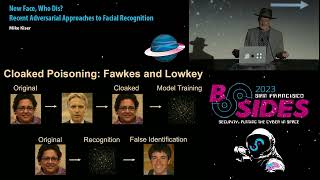
Argument: adversarial techniques can give individuals agency to break commercial and government facial recognition. Evidence: an Android camera app (Camera Adversaria) uses simplex noise to flip classifiers in real time; a desktop tool (Fawkes) perturbs embeddings by mixing target faces but costs minutes per image (four images ≈83s–22min, up to ~5 min/image at high settings); a web service (Lowkey) focuses on top‑N evasion. Built here: an open‑source iOS prototype using arbitrary style transfer + simplex noise with TensorFlow Lite, offline, 32 onboard styles; small 50‑person tests show detection and classification degradation but reveal usability, runtime, and quality tradeoffs.
AI-written summary · about
chapters (25)
- 0:00Intro
- 0:41The Nelson Chequer: Innovative Authentication
- 1:06The Nelson Chequer: Challenges Arose
- 1:30Facial Recognition: Innovative Authentication
- 2:36Facial Recognition: Challenge and Response
- 4:40Facial Recognition: Adversarial Research Expanding
- 5:48Gradients and Pixel Modification
- 6:42Generative Adversarial Networks / Avatars
- 7:24Procedural (Perlin) Noise
- 8:47Deidentification: Fawkes Approach
- 9:46Deidentification: Fawkes Results
- 17:15Effectiveness of Fawkes
- 17:47Deidentification: Lowkey Approach
- 18:24Effectiveness of Lowkey (and Fawkes)
- 19:40Spartacus Tool Goals / Requirements
- 20:08Conceptual Flow of Application
- 21:04Phase 1: Fast Style Transfer - Blending Content and Style
- 26:31Phase 1: Fast Arbitrary Style Transfer (isolated mode)
- 26:41Phase 1: Fast Arbitrary Style Transfer (network mode)
- 26:51Procedural Noise Generation
- 27:19Evaluation
- 32:03Measuring Success: Facial Detection Protection Rate
- 32:30Measuring Success: Facial Classification Protection Rate
- 33:00Future Work
- 34:10Is This Practical?
related talks
 26mNew Face, Who Dis? Recent Adversarial Approaches to Facial Recognition
 01h 05mFacial recognition, a 'convenient' and 'efficient' solution looking for a problem?
 21mCombining Privacy and AI
 06mFacial Recognition: Understanding Privacy Concerns and Attitudes Across Increasingly
 54mFast and Loose with Facial Recognition Technology: Modern Tech, Race, and Civil Liberties
 28mDefending our reality in the era of deepfakes
 26mVirtual U: Defeating Face Liveness Detection by Building Virtual Models...
 01h 15mHOW TO RECONCILE FACIAL RECOGNITION TECHNOLOGIES WITH CONSUMERS' PRIVACY