Building a Data Collection App with QGIS
summary
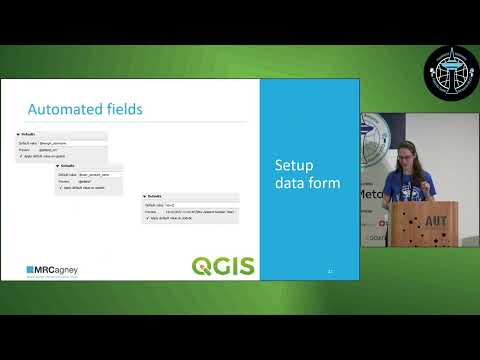
Shows how to turn a QGIS project into a working data-collection app using QField or Mergin Maps, with concrete steps: create point/line layers, set field types and lengths, use value map dropdowns and multi-line notes, configure a photo field to store attachments relative to project and reduce image size, and add auto-fill username and datetime expressions. Uses QGIS plugins to publish and sync (cloud or self-hosted), produces a web map or Python/Dash outputs and one-page per-point Word reports with embedded photos; the workflow is tested and usable.
AI-written summary · about
chapters (16)
- 0:00Introduction to data collection apps
- 1:26Steps to build a data app
- 2:30Survey design best practices
- 3:55Setting up the QGIS project
- 4:37Creating the attribute form
- 5:42Configuring dropdown menus
- 6:44Adding notes and text fields
- 7:50Including photos in the form
- 8:55Optimizing photo settings
- 10:21Automating username and date
- 12:51Testing the form in QGIS
- 13:58Syncing with cloud services
- 14:40Collecting data in the field
- 15:22QField vs Merin Maps demo
- 16:27Producing data outputs
- 18:12Q&A session
related talks
 20mBuilding Location Analytics, and Mapping into Your Apps
 09mI published "Making maps from scratch with open data and QGIS"
 25mMapping Made Easy: Map Layouting using PyQGIS
 18mDeveloping QGIS Plugins for 3D Geological Modelling
 45mThe life of open source spatial with QGIS - From hobby to grown up, with bonus growing pains
 15mGeoBI: A data visualisation platform using D3, leaflet, Geoserver, PostGres and php
 21mQGIS for Exploratory Data Analysis and Visualisation
 20mOpen-source Python tools to visualize and analyse ... with Samweli Mwakisambwe