Cognitive A11y: Designing Neuroaccessible docs for Neurodivergent minds

summary
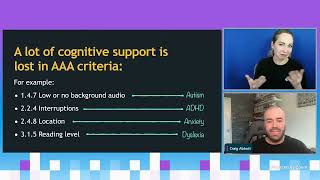
Documentation practice that cuts cognitive load and saves time: empirical claim that many readers skip about 80% of dense text to hunt a single command; four concrete tactics—chunking, plain language, visual landmarks, code accessibility—with examples (bulleted chunks, admonition colors/icons, isolated runnable code with comments). Offers a reusable 30‑second checklist, ready-to-use flash cards for ADHD/autism/anxiety/dyslexia patterns, and a shared Google Doc of tool links accessible via QR code.
AI-written summary · about
chapters (13)
- 0:00Cognitive accessibility intro
- 1:46Neurodivergent docs struggle
- 3:30Brain battery and load
- 4:18High-impact techniques
- 5:01Chunking and plain language
- 6:06Visual landmarks and code
- 8:05Curb cut effect in docs
- 9:3030-sec accessibility checklist
- 10:13Docs as empathy act
- 10:42Neurodiversity flash cards
- 13:15Full-stack accessibility
- 14:19Tools for neuroaccessible design
- 15:26Q&A
related talks
 51mBuilding A11y Digital Experiences for Neurodivergent Users
 01h 00mAccessible UX: Design for the rest of us
 50mDesigning for neurodiversity
 26mWords that welcome: content design with neurodiversity in mind
 49mNeuroinclusive Content Design
 38mDesigning for people with cognitive impairments
 37mMoving beyond empathy: a11y in documentation
 38mA11y-Friendly Documentation