Securing your app's communications with Kubernetes, Azure Key Vault, and TLS certificates

summary
Shows a concrete setup that injects a TLS certificate (self signed company.com) from Azure Key Vault into a Minikube or AKS pod using the CSI Secrets Store Driver and a Kubernetes service principal. Demo uses a Helm chart that creates a k8s secret for the client ID/secret, a SecretProviderClass that pulls the certificate, mounts it as a volume, runs update-ca-certificates, and successfully curls the internal HTTPS endpoint (worked in the demo).
AI-written summary · about
chapters (11)
- 0:00Introduction
- 1:07Secrets management challenges
- 3:12Solution architecture
- 4:37Internal TLS scenario
- 6:43Demo setup
- 7:45Azure Key Vault setup
- 9:11Service principal setup
- 10:14Kubernetes CSI driver
- 12:23Mounting secrets as volumes
- 13:46TLS verification
- 14:30Resources and closing
related talks
 36mSecrets Store CSI Driver-Bring Your Own Enterprise Secrets Store to K8s
 39mManaging and securing Kubernetes secrets - Simon Pearce
 30mLook Ma, No secrets in my Kubernetes Cluster! - Vijay Dharap
 50mSecuring Secrets in Kubernetes with Secret Provider and Azure Key Vault
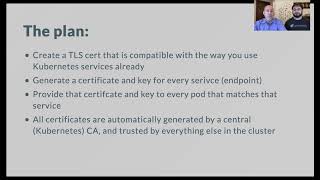 32mAchieving Mutual TLS: Secure Pod-to-Pod Communication Without the Hassle
 24mCan You Keep a Secret? On Secret Management in Kubernetes
 38mImproving Secure Pod-to-Pod Communication Within Kubernetes Using...
 54mKeeping Kubernetes secrets secret