The magical fantasy land of Linux kernel testing
summary
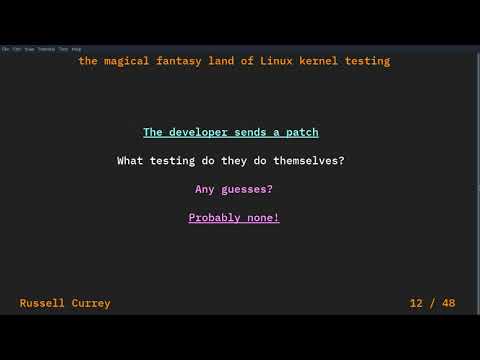
Linux kernel testing faces scale: over 14,000 commits and 1,800+ developers per release, thousands of distro and vendor variants, and hardware ranges from 512 TB machines to SOC farms. The ecosystem uses per‑patch CI (kernelci and bots like syzbot), built‑in selftests and kunit, LTP for functional suites, fuzzers, LAVA/Fuego for device farms, and release‑candidate testing — the talk shows which tools run where, which tests are fast enough for robots, and where results remain siloed.
AI-written summary · about
chapters (49)
- 0:00Introduction
- 1:45The problem of scale
- 2:20Maintaining errs
- 3:10Kernel versions
- 3:43Whats the fault
- 4:37Hardware
- 5:35Userspace
- 5:58What are we testing
- 6:12Testing for regression
- 6:36We have to compromise
- 6:53Lets break things down
- 7:17How much is someone tested
- 7:52What can a developer do
- 8:33Selftests
- 9:37Unit tests
- 10:12Code on the mailing list
- 10:41The first email you get
- 10:56The attack of the robots
- 11:13Automated replies
- 11:51What robots do
- 12:38Support the robot uprising
- 13:33I wrote that
- 13:45So the code has satisfied
- 14:00What happens now
- 14:16The persona of a reviewer
- 15:05What is a review of run
- 15:41The maintainer
- 17:53Linux Next
- 18:07Kernel Testing
- 19:11The Problem
- 19:28CoCo
- 20:13Whats happening
- 21:08Release candidates
- 21:25Will someone use it
- 22:07LTP
- 22:50Fuzzing
- 23:33Distribution
- 24:44Bugs
- 25:23Shifting responsibility
- 27:45Workflow problems
- 28:43No cheating
- 29:20Takeaways
- 30:59What do we do
- 34:00What happens next
- 34:20Maintaining
- 34:42A common test result format
- 35:49Kernel Coorg
- 36:36Publishing test results
- 37:18QA
related talks
 46mLinux Kernel Functional Testing, or How to Build and Test Millions of Linux Kernels
 41mKeeping up with LTS: Linux Kernel Functional Testing (LKFT) on Devices
 27mFaster Linux Kernel Testing with Linaro's Open-Source Tools and LKFT Automation
 39mDay-to-day Testing of Linux 'Next' Kernel Branch - My Story
 37mKernel CI – How Far Can It Go?
 38mQuality Beyond Kernelci.Org in Upstream Linux for TI SoCs
 33mKernel CI – How Far Can It Go?
 19mChecking your work: Linux kernel testing and CI