Best Practices for Collecting and Analyzing Data with Power Query and Excel
summary
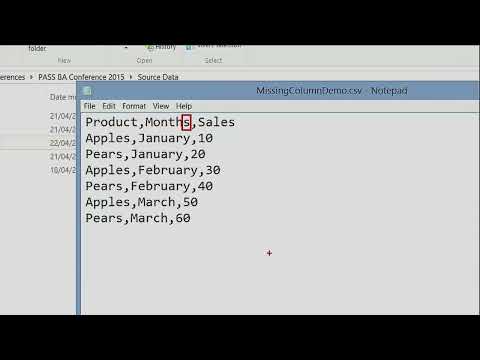
Shows concrete Power Query patterns and working M snippets for real problems: swapping folders to demo bad CSVs, using list.difference to detect added/renamed columns, appending an empty typed table to preserve schema so pivots don’t break, using try...otherwise to capture and output file errors as a worksheet log, creating an error-log via keep rows with errors and expand, merging against a master product list to whitelist values, warns about PowerPivot read‑only traps and explains inspecting server-side SQL with query folding and SQL Profiler.
AI-written summary · about
chapters (12)
- 0:00Power Query data challenges
- 3:54Extra columns in CSV files
- 9:13Missing or renamed columns
- 13:54Automated error detection
- 20:59Missing data sources
- 26:45Data quality issues with errors
- 35:21Validating data against values
- 39:17Read-only connection errors
- 43:55Power Query performance
- 46:26Query folding in SQL
- 51:46Parameterized queries
- 58:12Summary and Q&A
related talks
 48mBest practices for developing Power BI reports
 18mEmpowering Business Through Data
 54mWhat's new in Power Query in Power BI, Fabric and Excel?
 19mPower Query in 20 Minutes - How it Works
 45mRebooting your SME Data Analysis Strategy
 59mSelf-Service Data Modeling
 20m20 Power BI tips in 20 minutes
 01h 03mFeed Your Data! OData Data Feeds for PowerPivot Users