60 Reporting Tips in 60 Minutes
summary
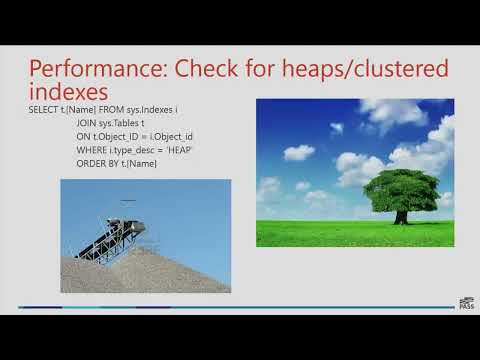
Sixty rapid, practical tips catalog specific tools and fixes: use LavishBootstrap for hex colors, ColorBrewer for palettes, and Redgate SQL Search to find columns and code; prefer views and store colors/formats in the database for consistent reports; convert heaps to clustered indexes to flip performance from “an hour to five seconds”; use CONCAT and TRY_CAST/TRY_CONVERT to avoid nulls and casting errors; run SSIS by right‑click execute to avoid accidental truncates; add row count and execution date to report footers, audit usage, and delete unused reports.
AI-written summary · about
chapters (49)
- 0:00Introduction to 60 reporting tips
- 0:41Using Lavish Bootstrap for color extraction
- 2:03Avoiding IP issues with Morg Files
- 3:07Optimizing SSMS with query shortcuts
- 4:35Formatting SQL with leading commas
- 6:01Creating a memory jar for gratitude
- 6:44Boosting SQL performance with clustered indexes
- 8:08Choosing readable font sizes for presentations
- 8:51Launching SSIS packages correctly
- 9:53Using color effectively in dashboards
- 11:40Placing key KPIs in the upper left corner
- 12:01Displaying row counts on the first page
- 12:23Concatenating strings with CONCAT function
- 14:29Finding news summaries on Wikipedia
- 15:13Searching SQL Server objects with F7
- 16:40Finding SQL objects with Redgate SQL Search
- 17:41Using Visual Studio Quick Launch
- 18:24Simplifying queries with window functions
- 21:58Adding text overlays to images
- 23:48Managing multiple SQL servers with Registered Servers
- 25:14Using date tables for easier date calculations
- 27:26Motorcycle hand signals for avoiding cops
- 27:46Handling casting errors with TRY_CAST
- 29:30Automating tasks with SQL Sharp tools
- 32:03Saving query shortcuts in SSMS
- 33:06Auditing report usage for cleanup
- 35:59Focusing on deep work for productivity
- 37:03Storing colors in the database for consistency
- 40:56Using expressions for dynamic formatting
- 42:20Limiting report exports to two formats
- 43:45Decoupling SQL from reports with views
- 44:05Tracking daily accomplishments in a journal
- 44:48Replacing Analysis Services data source views
- 46:11Managing report permissions efficiently
- 49:04Gathering report requirements one-on-one
- 50:27Identifying key people for efficient feedback
- 51:11Changing one thing at a time for troubleshooting
- 51:54Focusing on key KPIs over many metrics
- 52:57Adding report footers with row count and execution date
- 53:58Using friendly names for data clarity
- 54:39Managing taxonomy with a Wiki
- 55:43Learning in groups for better retention
- 56:24Customizing SSMS status bar location
- 57:06Optimizing pivot tables in Excel
- 1:00:14Using script parameters for dynamic queries
- 1:01:18Closing tabs with middle mouse button
- 1:01:39Quickly aliasing columns in SQL
- 1:02:44Sharing secrets securely with one-time links
- 1:03:32Q&A and closing remarks
related talks
 20m20 Power BI tips in 20 minutes
 48mBest practices for developing Power BI reports
 20mRapid Power BI Development with ChatGPT, Tips & Tricks
 59mFaster SSIS
 25mData Demons: Unleashing Chaos or Driving Performance?
 50mFind your PII reports and make your data safer
 18mBold indicates negative?
 47mRoche's Maxim of Data Transformation - By Example