Big Android: Reaching the Masses! Adding X86 Support To Your Game
summary
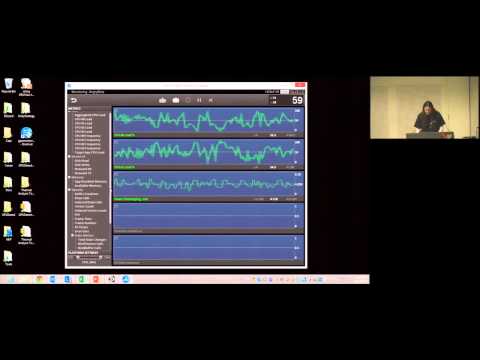
Unity 4.6/5 now produces a fat APK that includes both ARM and x86 native libraries (only ~+6 MB in the Angry Bots example) and you can publish per-ABI slim APKs on Google Play to avoid size concerns. ARM APKs run on x86 via translation but show worse performance and higher power; native x86 builds raise FPS and cut load times (real examples show 20–60% load improvements, one app from ~17 FPS to playable). Intel’s Graphics Performance Analyzer (part of Intel Indie) captures OpenGL frames on-device, lists draw calls, textures and shaders, lets you swap or disable resources (removing an unnecessary clear saved ~3 ms), throttle CPU, and works across ARM/x86 and PC.
AI-written summary · about
chapters (8)
- 0:00Introduction
- 0:45Why Android x86 support matters
- 3:15Unity x86 build demo
- 6:50x86 vs ARM performance
- 10:01Intel graphics profiling tools
- 19:30Frame analysis with GPA
- 20:13Tools setup and next steps
- 25:07Q&A
related talks
 32mMoving with the Android ecosystem towards a 64-bit r-Evolution
 24mBuilding an awesome game for Android
 37mThe state of Unity on Android
 16mAndroid development in Unity: Considerations and best practices
 12mOptimize your Android games and apps to run on Chrome OS
 41mDeveloping for Android TV and the Nexus Player
 37mAdapting Android games beyond the phone
 55mCompilers. Dalvik. ART. And everything in between