Add Live Streaming to Your Application (Without Being a Video Expert!)

summary
Amazon IVS promises ready-made live video: create a channel and stream from a browser or OBS via the web broadcast SDK, play back with the IVS player, and scale to huge audiences (a live event hit 3.4 million viewers). Low-latency streaming targets 2–5 seconds glass-to-glass; real-time Stages push conversational latency to ~250 ms with up to 12 hosts and 25k viewers at 720p. Demos include recording to S3 and a Unity game that publishes directly to a Stage and works live.
AI-written summary · about
chapters (16)
- 0:00Live streaming in apps
- 2:10Building live streaming apps
- 5:22Amazon IVS benefits
- 6:46Low latency streaming
- 10:26Start low latency streaming
- 11:30Demo: streaming channel
- 16:49Playback and latency demo
- 18:57Broadcasting with OBS
- 22:12Realtime streaming
- 24:00Realtime streaming stage
- 27:10Demo: realtime streaming
- 32:14Stream chat features
- 33:16Streaming from games
- 37:59Gaming demo with chat
- 39:30Demo apps and future
- 40:10Resources and closing
related talks
 51mAdding Live, Interactive Video to Your Application with Amazon IVS
 49mAdd Interactive Live Video to Your Application with Amazon IVS
 16mEngage your customers with live streaming built on AWS
 45mEngage your customers with live streaming built on
 44mLive Video in a Modern Web Environment
 23mInteractive livestreaming and the future of esports
 24mVideo streaming on the web: Live and recorded video streaming
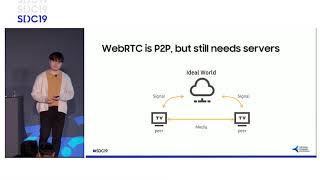 41m8K Codec Low-Latency Livestreaming, and AI Streaming