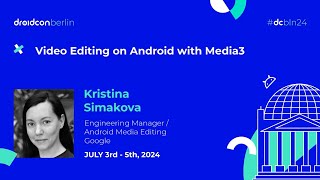
Video Editing On Android With Media3

summary
Media3’s Transformer module claims to cut editing boilerplate (example: grayscale drops from ~300 to ~30 lines) and already sees broad usage (v1.0.0, ~30% of top‑1000 apps). It supports API 21+ (covers ~99% of devices), is tested on ~170 devices, and performs transmuxing to avoid re‑encode loss or full transcode when needed. Built examples: format conversion, trimming with trim optimization for low latency, image‑to‑video, overlays, custom GL shader effects, MediaPipe/TFLite integration, and two‑sequence compositions (video + background audio).
AI-written summary · about
chapters (14)
- 0:00Media3 and Transformer intro
- 1:28Transformer APIs for editing
- 3:35Transformer pipeline basics
- 6:44Testing Transformer devices
- 7:06Converting file formats
- 7:28Trimming and optimizing video
- 8:32Creating videos from images
- 9:15Built-in video effects
- 10:23Text and animated overlays
- 11:50Custom video effects
- 14:00Combining media items
- 16:07Handling HDR video
- 16:51ExoPlayer effects integration
- 17:35Media3 resources
related talks
 18mVideo Editing on Android with Media3
 15mComplement your media editing pipeline with Media3
 25mCreative video editing with Jetpack Media3 and Gemini
 16mUnleashing the Power of Media 3 Transformer
 40mVideo Processing on Android
- 25mCreative video editing with Jetpack Media3 and Gemini
 13mWhat's new in Android Media
 42mBuilding a Video Editor