Creative video editing with Jetpack Media3 and Gemini

summary
Builds an Android app that uploads user videos to Firebase Storage (needed because of a 20 megabyte limit on direct Gemini requests), calls Gemini via Firebase AI / Vertex AI (uses a 2.5 Pro model, temperature 0 and response MIME type application/json) to return a strict JSON of start/end timestamps per video, then uses Jetpack Media3 Editing APIs to assemble those trims into a single composition and preview with CompositionPlayer; live demo trims multi‑minute clips to ~3–5s highlights and successfully previews and can export via the Transformer API, so the pipeline works end‑to‑end with concrete code.
AI-written summary · about
chapters (11)
- 0:00Introduction
- 1:05The editing nightmare and automation
- 4:48App architecture
- 6:04Selecting videos and using Firebase Storage
- 9:30Analyzing videos with Gemini & prompt engineering
- 10:57Setting up and calling the Gemini model
- 13:30Media selection view model
- 15:10Assembling the video with Media3
- 18:21Video analysis view model and playback
- 20:44Live demo
- 23:34Resources and wrap-up
related talks
 25mCreative video editing with Jetpack Media3 and Gemini
 19mVideo Editing On Android With Media3
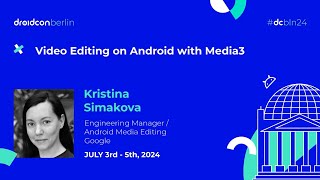 18mVideo Editing on Android with Media3
 38mCrafting delightful Camera & Media experiences
 18mLet's test Gemini, Google's AI in an Android application!
 37mBuild agents with Gemini API
 01h 55mPrompt to Pipeline: Building with Google's Gen Media Stack
 39mMultimodal Gemini in Android Studio: AI-powered UI development