EDR Internals From a Defenders Perspective

summary
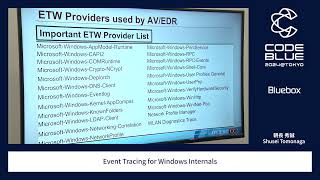
Microsoft Defender for Endpoint collects ETW and kernel callbacks into a local SQLite store (codename Direct Track Service) and uploads sampled telemetry to cloud advanced-hunting tables, keeping full device data 30 days (marketing claims 30-day cloud retention / condensed 180-day view). Config is controlled centrally with per-event global cap and local caps (example: 5,000 PowerShell events/day global, single-event local rules), tools used include DefenderCheck, TelemetrySourcer, logman and Mimikatz, and about 20–25 MB/device/day is typical.
AI-written summary · about
chapters (23)
- 0:00Intro
- 2:46Microsoft Defender for Endpoint
- 4:15Anti-Virus Engine
- 5:41Attack Surface Reduction (ASR) rules
- 7:32Windows Defender Application Control (WDAC)
- 8:30EDR Telemetry
- 10:51Data Storage
- 13:49MDE default alert coverage
- 15:19Data potential for 299 techniques
- 15:30Visualizing relationships
- 16:03Kernel Callbacks
- 17:41Event Tracing for Windows
- 18:08MsSense.exe ETW Providers
- 20:24Sample trace
- 21:10What is the binary jibberish?
- 23:32MDE Configuration
- 24:44Configuration item examples
- 25:45Configuration stats
- 26:11Configuration - ETW Providers (a selection)
- 27:21What does that config look like?
- 28:28Microsoft Audit Policy settings
- 30:38PowerShell script to check your environment
- 30:53Wrapping up
related talks
 44mEvent Tracing for Windows Internals
 46mExtend EDR Visibility by Logging Everything: Demo with Free Integrations
 39mEDR = Erase Data Remotely, By Cooking An Unforgettable (Byte) Signature Dish
 58mRed Team Techniques for Evading, Bypassing & Disabling MS
 32mSysmon Deep Dive: Real Detection Scenarios You Can Reproduce
 19mDefender XDR in the Real World: Measurable Risk Reduction
 29mHunting and Stopping Threats with Elastic Security
 40mHow to Build a Long-term XDR Architecture Strategy