Making Your Mobile Cross-Platform Dreams Come True with Modern Web

summary
Modern web lets one team reuse HTML/CSS/JS to ship mobile apps: a demo app built with Angular and Ionic shows concrete device APIs working — navigator.vibrate for haptics, navigator.mediaDevices.getUserMedia for camera/mic video chat — plus offline, installable behavior via Progressive Web App and publishable to Google Play. Recommended path: responsive site → PWA → Capacitor for native plugins → only then native frameworks. Limitations: heavy 60fps graphics (about 2% of cases) and uneven browser API support across vendors.
AI-written summary · about
chapters (12)
- 0:00Introduction and welcome
- 1:05Why cross-platform matters
- 3:34Modern web as the solution
- 6:42Demo app and interactive setup
- 8:31Device APIs in the browser
- 10:16Camera and microphone access
- 12:01Progressive web apps explained
- 13:24Deploying PWAs to app stores
- 14:26Native-like UI with modern CSS
- 16:13Limitations of the modern web
- 17:58Step-by-step development path
- 20:04Call to action and conclusion
related talks
 42mThe Mobile Web Second Edition: First-Class Citizen on Your Device Now
 37mThe Mobile Web Second Edition" First-Class Citizen on Your Device Now"
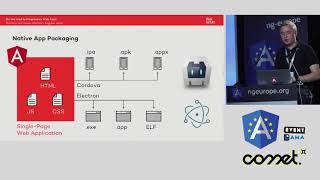 23mOn the Road to PWAs: Building Real Cross-Platform ng Apps with Cordova & Electron
 28mBeyond Responsive: Building a mobile web you're f*ing proud of
 28mWhat’s Wrong with Mobile Apps Anyway
 43mAfter HTML5: Mobile Device APIs and PhoneGap
 43mProgressive Web Apps - the Return of the Web?
 47m6 Apps One Code with Angular