Taking BI to the Next Level: Collaboration
summary
Claims that adding SharePoint-based collaboration to BI raises adoption (from single-digit to double-digit) and cuts decision time from days or weeks to under a day, backed by a cited ~30% productivity lift. Concrete stack examples: PowerPivot gallery, Power View and PerformancePoint dashboards, note boards, wikis, user profiles and search, plus workflows to record actions and outcomes. Built patterns include templated workbooks, refreshable shared models and captured decision histories; recommended rollout is small pilot teams and incremental features rather than wholesale replacement.
AI-written summary · about
chapters (11)
- 0:00Collaborative BI journey
- 3:33Self-service BI evolution
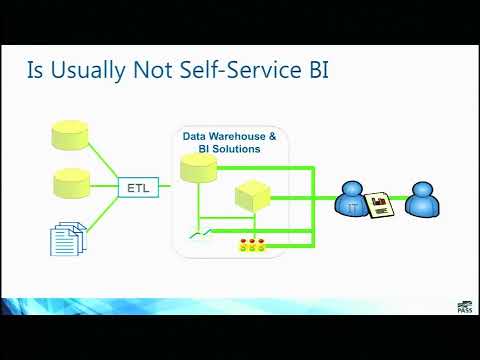
- 10:11Traditional BI challenges
- 18:38Self-service BI failures
- 23:51Collaborative BI benefits
- 25:36BI collaboration types
- 34:20Collaborative dashboards
- 43:15SharePoint dashboards
- 51:00SharePoint knowledge management
- 57:47Implementing collaborative BI
- 59:51Final thoughts
related talks
 01h 01mHow to Create Value and Present Data to Business Executives in SharePoint
 48mCombine Power BI with External Tools
 46mPower Platform DIY
 20mPower BI Culture: Governance as a gateway to adoption, not a barrier.
 37mPitfalls and pro-tips for effective and transparent BI tools data science & applications
 18mPower BI Quiz Extravaganza
 40mStreamline and Automate Low Code Solutions for Process Improvement Using Power
 20mHow to reduce costs & build new analytics capabilities in Power BI with Power Automate