Understanding and Working with the Cgroups Interface

summary
Cgroups provide per-group control of CPU, memory, block I/O, devices, network classing and more, exposed via a virtual filesystem that must be mounted and may be v1 or v2. Example workflow shows creating a memory group, echoing a 50MB limit into limit_in_bytes, adding PID 31344 to cgroup.procs, and using libs and tools like cgcreate and cgexec. CPU scheduling uses 1024 shares as full weight and changing shares to 768/256 yields about 75%/25% CPU in tests.
AI-written summary · about
chapters (15)
- 0:00Introduction
- 1:19Overview
- 2:56What does Cgroups do
- 4:20Cgroups Hierarchy
- 6:54Distributions and Cgroups
- 8:28Hierarchy
- 9:14Block IO
- 16:43Huge TLB
- 19:49CPU Monitoring
- 21:15Memory Controller
- 22:11Manual Cgroups Interface
- 25:13Cgroups Tools
- 26:09Testing
- 26:54Adjusting
- 30:02CPU Sets
related talks
 57mAn introduction to control groups (cgroups) version 2
 35mFuture-Proof Your Applications: Avoid Breakdowns With Cgroup Chan...
 01h 02mDiving deeper into control groups (cgroups) v2
 34mCgroups and Enterprise Users
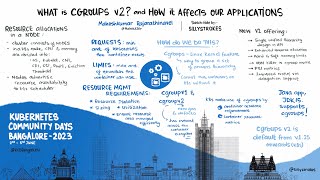 32mWhat is cgroups v2? and how it affects our application
 45mLinux Kernel Control Group v2
 36mNew Cgroup Subsystem for Buffer Write io and Network RX Control in Kernel
 27mPostgreSQL container groups, aka cgroups down the road