AI in the Battle Against Fakes

summary
A smartphone photo pipeline identifies counterfeit packaging for a global electronics brand by using OpenCV preprocessing, an object-detection plus classification chain, and models trained with Azure Machine Learning and Custom Vision. The solution is shipped as containerized services using Docker, Azure Functions and Cosmos DB for orchestration and storage; models export to mobile, deploy in containers, and are retrained and versioned in production. Teams iterate in weeks with about 15–100 images per class and report quick held-out tests reaching 100%.
AI-written summary · about
chapters (31)
- 0:00AI fight against counterfeits
- 1:05Project overview
- 3:17Identifying fakes with examples
- 5:58Solution architecture and Azure ML
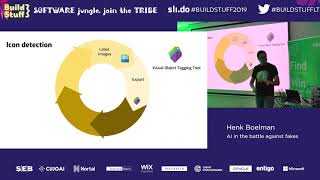
- 7:01Training models with Custom Vision
- 9:58Preprocessing and classification
- 12:05Azure ML tools for devs
- 14:14How Custom Vision works
- 16:26Labeling and detection challenges
- 18:12Uploading images and deploying models
- 20:18Team culture and containers
- 22:02Demo: Custom Vision project
- 23:55Uploading and tagging images
- 26:14AI-suggested image tags
- 27:41Testing and model evaluation
- 29:04Classification vs object detection
- 30:10Custom Vision demo and features
- 31:35Advanced tools and collaboration
- 34:02Workspace setup and data
- 36:34Pipeline management
- 38:23Workspace setup and credentials
- 41:12Downloading and uploading datasets
- 43:21Training scripts and execution
- 45:05Configuring training frameworks
- 47:13Real-time training output
- 49:41Mounting datasets and training
- 51:04Reviewing training results
- 52:49Validation metrics
- 54:17Deployment process
- 56:09Final deployment and testing
- 58:18Key takeaways
related talks
 48mAI in the battle against fakes
 59mAI in the battle against fakes
 36mAI-Powered Real-Time Quality Control
 01h 02mAI on the Edge
 45mFrom Data to AI on The Edge
 01h 04mBuilding and Training your own Custom Image Recognition AI
 50mAzure AI, Power new possibilities for every organization
 17mAI in Quality Control – Real Use Cases and Best Practices