Running containerized applications on Azure Container Services

summary
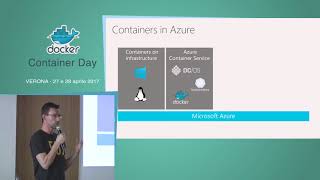
Live demos show a Docker image starting a browser game with both Windows and Linux containers, using docker run, docker commit and docker-compose up to spin a web tier, API and SQL Server locally. Images get pushed to Azure Container Registry, clusters land on ACS/AKS or Service Fabric, kubectl creates deployments and kubectl scale performs rolling scaleouts with an Azure load balancer. CI/CD uses VSTS to build images, tag by build ID, and deploy with zero‑downtime rollouts.
AI-written summary · about
chapters (24)
- 0:00Introduction
- 0:30What is the problem
- 0:55Example
- 4:39Technology behind containers
- 6:24Windows containers
- 8:32What are containers
- 9:57Commandline interface
- 10:13Build an image
- 10:48docker run
- 17:23container registry
- 17:58docker hub
- 18:38Azure Container Registry
- 22:14Multiple containers
- 22:51Docker Compose
- 23:54Docker Build
- 24:34Create multiple networks
- 25:25Create docker compose files
- 26:18Create new docker compose file
- 34:03Configuration builder
- 37:52Moving to production
- 41:23Azure Container Services
- 45:26Kubernetes Services
- 47:56Coop Control Demo
- 53:54Continuous Delivery Demo
related talks
 01h 03mScaling Docker Containers using Kubernetes and Azure Container Service
 01h 00mPractical Container Scenarios in Azure
 32mDeep dive into container orchestrator options on Azure
 53mHow to Use Docker Containers with Azure Services for Your Solution
 51mChoosing from the many ways to Docker in Azure
 19mSessie 3 Docker
 01h 00mBring your ASP.NET Core solutions to Kubernetes in Azure
 35mBuilding Apps with Containers, Functions and Managed Services