What Every Developer Must Know About User-Interface Design and UX

summary
Explains concrete UI engineering: why every UI uses a single-threaded event loop, how events use a FIFO queue, and why target is 60 fps / 16 ms budget (practical ~10 ms, handlers ~5–6 ms). Compares retained vs immediate drawing with examples (DOM/SVG vs canvas) and tools (WPF, WinForms, Java, Node.js, Angular, React, Grunt/Gulp). Describes layout→painting→compositing pipeline, GPU acceleration, and a WPF crash traced to a display driver fix; shares a downloadable mindmap.
AI-written summary · about
chapters (14)
- 0:00Start
- 3:06Managing Complexity
- 3:31Ui Landscape
- 3:44Event Loop
- 5:13Drawing and Even Handling
- 7:43Event Loops
- 13:04Drawing Modes
- 13:37Turtle Graphics
- 14:25Retain Mode
- 15:21Immediate Mode
- 17:57Eventing
- 21:17The Pipeline
- 21:40Layout Painting and Compositing
- 23:41Difference between Cpu Based Rendering and Gpu Based Rendering
related talks
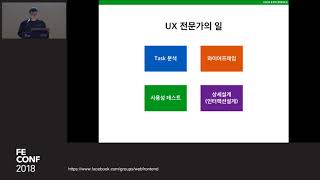 48mUX Programming for Developers
 30mReactive interface
 01h 05mUX Design Fundamentals: What do your users really see
 42mIndispensable Principles for Designing Complex User Interfaces
 56mProgrammers Don't Have to Suck at UX and UI
 49mDX, UX, UI: Things You Didn’t Notice & How To Fix Them
 34mUnderstanding UX (and UI) – a practitioner's perspective
 01h 04mWhat do your users really see: the science behind user interface design