Build apps for foldable, multi-display, and large-screen devices

summary
Android documents concrete changes: Android Q adds multi-resume so multiple resumed activities can accept input, a new compatibility letterboxing mode for non-resizable activities, and a minAspectRatio attribute alongside maxAspectRatio to control layouts. Emulator images model 7.3" and 8" foldables and a fold/ unfold simulator; ActivityOptions lets apps launch on secondary displays; keyboards, wallpapers, and forced desktop mode are supported. Developers must handle configuration changes, resizableActivity, and camera resource contention to avoid crashes and locking.
AI-written summary · about
chapters (17)
- 0:00Introduction
- 3:26UX considerations
- 7:28App continuity
- 14:39Michaels presentation
- 20:17Ian presentation
- 24:24Andre presentation
- 28:22Multiple tasks
- 29:02Multiscreen
- 29:42Play Manager
- 30:10Security Restrictions
- 30:42New Additions
- 31:13Wallpapers
- 31:47Secondary screens
- 32:42Foldable emulator
- 33:12Compatibility mode
- 33:30Force desktop mode
- 34:23Developer guide
related talks
 30mTablets, Desktops, Foldables Oh My!
 22mIs your app ready for foldable phones?
 34mMore Than Foldables: Android App for Foldables and Larger Screens
 35mIs Your App Ready for Foldable Phones?
 47mThe age of large screen & foldables
 46mA developer's guide to large screens readiness
 14mWhat’s new in foldables, tablets, and large screens
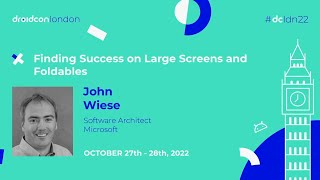 39mFinding Success on Large Screens and Foldables