Sensory Friendly Monitoring- Keeping the Noise Down

summary
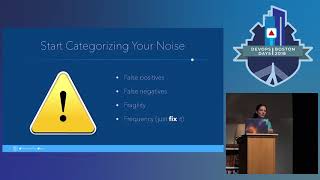
Excessive chat and alert integrations cause real productivity loss: brief interruptions produce 20–25 minutes to refocus and even a three‑second ping can cost huge recovery time. Concrete fixes include categorizing alerts by urgency, routing noisy metrics to low‑traffic channels, automating self‑healing where possible, keeping a redundancy path for critical notifications, and retiring misconfigured thresholds after review — example: eliminate recurring RDS low-memory false positives that wake teams at 3am or rely on a single chat provider during a 3-hour Slack outage.
AI-written summary · about
chapters (7)
- 0:00Introduction to sensory monitoring
- 3:14Costs of excessive alerts
- 7:53Identifying noise sources
- 13:59Setting communication boundaries
- 17:15Redundancy in monitoring
- 20:49Regular alert review
- 25:01Closing and resources
related talks
 27mSensory Friendly Monitoring: Keeping the Noise Down
 19mSensory Friendly Monitoring: Keeping the Noise Down
 19mSensory Friendly Monitoring: Keeping the Noise Down
 19mSensory Friendly Monitoring–Keep the Noise Down
 19mSensory Friendly Monitoring
 06mSensory Friendly Monitoring
 21mSensory Friendly Monitoring: Keeping Noise Down
 27mWant to Solve Over-Monitoring...