The Automation of a Landing Zone

summary
Describes concrete automation: use Control Tower plus Account Factory for Terraform to provision accounts, org units, logging and guardrails and to spin a Landing Zone in 10 minutes. Shows customers running thousands of accounts and hundreds or thousands of VPCs, hitting surprises like a $2 million bill and needing a 10% cost cut. Demonstrates specific tools: AWS Config, GuardDuty, CloudWatch alarms with actions, VPC flow logs, Transit Gateway and Direct Connect, AMI factory for hardened images, and a service catalog that actually reduces migration time.
AI-written summary · about
chapters (34)
- 0:00Landing zone automation intro
- 3:13What is a landing zone
- 7:11Two approaches to build
- 8:36Starting workflow from scratch
- 10:06Business sponsorship role
- 11:09Account strategy decisions
- 13:17Networking design basics
- 14:44Security guardrails and compliance
- 17:57Logging and monitoring visibility
- 18:19Identity and access management
- 20:05Becoming service provider
- 20:46Application migration challenges
- 21:49Iterating and optimizing
- 22:31Account strategy blast radius
- 24:42Tagging and billing best practices
- 25:04AWS Organizations governance
- 26:08Centralized logging setup
- 27:14Example account structure
- 27:57Network design patterns
- 31:52Hybrid connectivity VMware
- 32:13Security tools threat detection
- 33:59CloudWatch alarms automation
- 34:42AMI Factory hardened OS
- 35:48AWS Config compliance rules
- 36:35Identity federation personas
- 37:16Consumption models catalogs
- 38:21Service catalog patterns
- 39:25Final architecture overview
- 40:08Cloud roles permission management
- 40:48Baseline management updates
- 41:31Automation tools overview
- 42:37Common landing zone mistakes
- 43:42Post-deployment management
- 44:47Q&A
related talks
 45mThe Automation of a Landing Zone
 55mBest practices
 28mStay in Control While Moving Fast
 26mBreaking free from ClickOps to deliver landing zones and automated infrastructure
 42mHands-on with the Terraform Module for AWS Landing Zone
 32mCreate a cloud-ready environment
 40mFrom Launch Pad to Landing Zone: DevOps Governance with Terraform
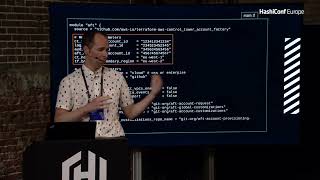 18mTerraforming AWS Control Tower