Core Web Vitals under control

summary
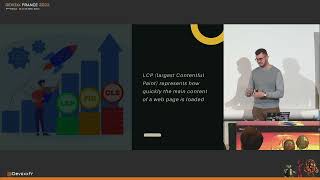
Core Web Vitals are LCP, FID and CLS with practical thresholds: LCP <2.5s (green), 2.5–4s (needs work), >4s (bad); FID <100ms, 100–300ms, >300ms; CLS roughly 0.10 (green) to 0.25 (bad) and the 75th percentile is used. Measurement and gating use Lighthouse (budget.json) + GitHub Actions, Chrome DevTools, WebPageTest, CrUX and the web-vitals JS library. Fixes that moved metrics into the green: reserve image/video sizes or use aspect-ratio, lazy-load or replace iframes with thumbnails, compress to WebP, preload key fonts with font-display: optional, split JS and break long tasks, and add CDN/caching or server-side rendering.
AI-written summary · about
chapters (7)
- 0:00Start
- 17:38Always add DIMENSIONS to your images, videos, iframes
- 18:55Lazy load images and iframes
- 19:38Use light thumbnails and placeholders for HTML elements
- 21:21Compress and optimize images
- 22:31Reserve space for HTML elements by adding placeholders
- 22:55Preload key fonts and optimize the rendering behavior
related talks
 39mCore Web Vitals under control
 25mCore Web Vitals under control
 01h 14mCore Web Vitals: Theory and practice
 29mCore Web Vitals: Put Your App into Orbit with Best Practices
 30mThe ins and outs of Core Web Vitals
 15mCore Web Vitals – Measuring Performance Like a Pro
 01mGoogle Core Web Vitals
 42mA crash course in core web vitals for React developers