Using AI to Streamline Inclusive Design Without Losing Humanity

summary
Designers get concrete steps: run an altext.ai alt‑text test, try video avatars with Hey Jyn or Lemon Slice, and use Gamma or Storyline to auto‑generate slides and placeholders. The talk cites one billion people with disabilities, EU Accessibility Act (effective June 28), and a risk matrix: Articulate/Adobe = low, Canva/Figma = medium, public image generators/ChatGPT = high. Recommended workflow: add an AI accessibility scan (Wave or Stark), expect AI to get you about 70–80% there, then validate with human review.
AI-written summary · about
chapters (17)
- 0:00Introduction
- 1:02AI and design terms
- 4:19Accessibility in design
- 7:58Disability explained
- 9:44Inclusive vs Universal vs Accessible
- 12:42Legal requirements
- 14:50AI risks in design
- 17:39Demo: altext.ai
- 21:55Humanizing learning with AI
- 26:52Exploring AI design tools
- 34:30AI accessibility framework
- 36:42Embed accessibility early
- 39:37AI video for scenarios
- 41:26Microsoft accessibility checkers
- 43:13Weekly accessibility steps
- 44:40Verify AI outputs
- 45:46Q&A
related talks
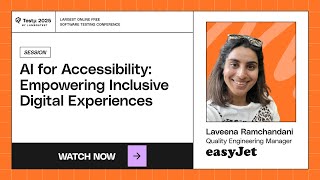 34mAI for Accessibility: Empowering Inclusive Digital Experiences
 34mAI and Accessibility: the Good, the Bad, and the Bollocks
 55mBridging the Digital Divide: Empowering Accessibility Through AI Innovations
 57mCan Gen AI make the world Disability inclusive?
 44mDesigning with Accessibility in Mind
 48mProgramming for accessibility
 01h 40mIntegrating AI into your Design workflow
 01h 00mAI and alt text