A Better Way to Manage Command Line Tools: What We Learned...

summary
Criteo builds a lightweight launcher called CDT command launcher that runs packaged CLI tools described by a manifest (JSON/YAML), provides auto-completion, credential storage with explicit consent, and auto-updates from a remote package registry. Delivery supports progressive rollout by segmentation (unique machine segments) and telemetry of exit codes, durations and args for live monitoring and A/B testing. Local drop-in folder plus git/zip installs enable safe sharing; the project is open source.
AI-written summary · about
chapters (8)
- 0:00The challenges of CLI tools
- 1:30Common development hurdles
- 3:23Missing standard features
- 4:44User experience pain points
- 7:41Lessons from desktop software
- 10:36SaaS success principles
- 13:16Building a CLI launcher
- 17:57Advanced CLI management
related talks
 30mCLI Tools for All the Things
 25mCommandLine Tools for DevOps
 33mCLI-Driven Developer Experience: The Secret Ingredient of an Aligned Team
 27mForget about scripting, CLI Plugins are here!
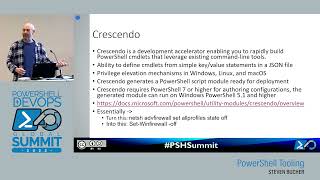 43mPowerShell Tooling
 25mCLI-Driven Developer Experience: The Secret Ingredient of an Aligned Team
 36mCLI applications & TDD: Never write scripts again
 30mBuilding Swift Command Line Tools