I Had WordPress, but It Got Hacked
summary
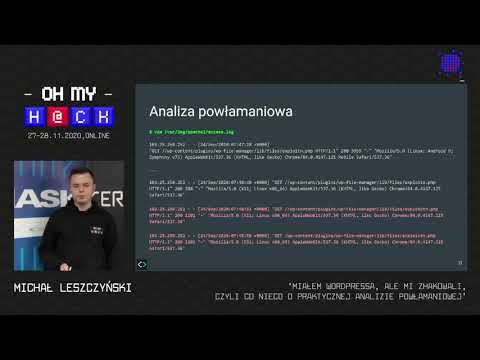
Mass compromises exploited a vulnerable WP File Manager plugin that exposed a connector for remote file upload; automated curl requests uploaded an x.php polyglot PNG/PHP webshell which runs shell commands and retrieves payloads from pastebin, sometimes using a Python2 exploit script. Recovery involves building a fresh WordPress install, reinstalling plugins and themes from original sources, diffing files to find backdoors, rotating database credentials and user hashes, restoring from offsite push-only backups, and applying hardening such as HTTP Basic auth for /wp-admin and endpoint whitelisting.
AI-written summary · about
chapters (9)
- 0:00Introduction
- 3:10First attack signs
- 8:51Exploit and web shell analysis
- 16:57WP File Manager vulnerability
- 21:33Recovering hacked WordPress
- 27:17Preventing attacks and hardening
- 33:12Backup and restore infrastructure
- 35:00Hacker motivations
- 40:39Summary and recommendations
related talks
 44mI've Been Hacked, Now What
 33mThe Anatomy of a Hack 24 Hours in the DevSecOps ER
 36mHow the WordPress Ecosystem Handles Security and What You Can Learn from It
 27mSecuring your WordPress sites
 34mPrepare(): Introducing Novel Exploitation Techniques in Wordpress
 40mHow to hack a node app?
 01h 01mHow hacking works - Web edition
 18mDisaster management for when you get 1000s of customers hacked