Managing VMware Environments with HashiCorp Vault

summary
Demo shows using HashiCorp Vault with PowerCLI to discover ESXi hosts, seed and store root credentials, then generate and rotate unique per host passwords while keeping version history. Authentication ties into LDAP/AD auth so Vault tokens map to existing groups and revoking group membership immediately denies secret access. The presenter runs the workflow against a small lab (three hosts in demo), scripts everything in a public GitHub repo, and demonstrates automated rotation after an admin change.
AI-written summary · about
chapters (13)
- 0:00Introduction and agenda
- 1:03VMware in enterprise data centers
- 3:08Manual password management methods
- 6:23VMware native password tools
- 9:01Scripted password rotation with PowerCLI
- 12:00Introducing HashiCorp Vault
- 13:46Storing secrets in Vault
- 15:59Automating secret seeding with PowerCLI
- 18:10Generating unique passwords per host
- 21:04Version control and retrieval of secrets
- 22:53Role-based access and personnel changes
- 24:21Automated password rotation workflow
- 25:57Summary and resources
related talks
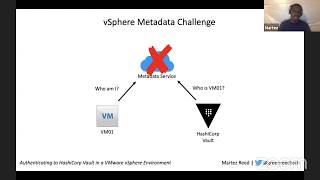 24mAuthenticating to HashiCorp Vault in a VMware vSphere Environment
 28mSecret Management with Hashicorp´s Vault
 40mA Better Way To Manage Secrets
 44mSecret Management with Hashicorp's Vault
 29mIntro to secrets management using Vault
 43mSecret Management with Hashicorp's Vault
 31mIntegrating HashiCorp Vault & Active Directory: Pretty Fly for a Windows Guy
 38mKeeping Secrets - A Practical Approach to Managing Credentials