Exploration of Touch & Input in Jetpack Compose

summary
Demonstrates building a Compose photo grid that supports tap-to-open, double‑tap and pinch zoom, pan, and long‑press‑and‑drag multi‑select using real code at google/composephotogrids. Uses pointerInput with detectTapGestures, chooses detectTransformGestures over transformable to get centroid for pinch zoom, and implements multi‑select by attaching detectDragGesturesAfterLongPress to the grid (not each item) because hit‑testing locks the original target; resolves event consumption by removing the per‑item long‑click. Shows state via rememberSaveable and derivedStateOf and flags TalkBack accessibility limitations.
AI-written summary · about
chapters (9)
- 0:00Introduction to touch input
- 3:14Gesture recognizers toolbox
- 8:12Gesture modifiers vs recognizers
- 12:02Building photo grid app
- 15:30Double tap to zoom
- 18:21Pinch and drag to pan
- 20:29Accessibility considerations
- 22:56Multi-select with gestures
- 36:19Resources and conclusion
related talks
 40mExploration of Touch & Input in Jetpack Compose
 39mUnderstand touch event mechanics and master gestures
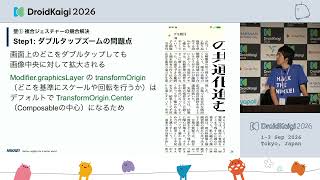 37mTackling Newspaper-Style UI in Jetpack Compose — Three Walls: Complex Gestures, Polygon Article Regions, and Adaptive Page Layouts
 43mBuilding Accessible Apps with Jetpack Compose
 15mInput for all screens
 28mJetpack Compose Techniques Needed at the Product Level
 18mCompose: Implementing responsive UI for larger screens
 36mPractical implementations of powerful UI expressions using Jetpack Compose