Understand touch event mechanics and master gestures

summary
Explains how Jetpack Compose detects and handles touch events and gestures, covering simple APIs like onClick, the detectGestures API, and how to build custom gesture detection. Describes event propagation, sharing vs. owning events, distinguishing taps from scrolls, handling canceled touch events, and implementing fling inertia; uses the open-source Zoomable Compose library as a concrete example for resolving gesture conflicts between an image pinch-zoom and a parent Pager scroll.
AI-written summary · about
chapters (7)
- 0:00Introduction
- 3:11Compose gesture API
- 7:30Custom gesture
- 15:26Event propagation
- 18:35Pitfalls and fixes
- 26:07Zoom conflict avoidance
- 37:35Summary
related talks
 40mExploration of Touch & Input in Jetpack Compose
 38mExploration of Touch & Input in Jetpack Compose
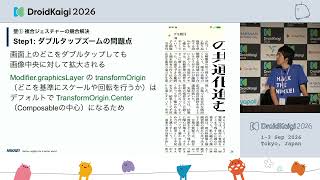 37mTackling Newspaper-Style UI in Jetpack Compose — Three Walls: Complex Gestures, Polygon Article Regions, and Adaptive Page Layouts
 43mBuilding Accessible Apps with Jetpack Compose
 21mAnimations with Jetpack Compose
 34mHandle gestures and touch events for CustomView
 20mAdvanced Android Touches
 36mPractical Magic with Animations in Compose