Expand your Android app beyond the phone

summary
Slides explain how to publish an Android app to the Amazon Appstore and run it on Fire TV, Fire TV for cars and Windows 11 via Windows Subsystem for Android, claiming access to 150+ million devices. Details include adding the Amazon Appstore SDK for billing/DRM, using A2L SDK or ADM for push, testing with App Tester and ADB (localhost connect), Jetpack Compose + Material3 window size classes for responsive UI, Windows 11 prerequisites (8GB RAM, SSD, UK Amazon account) and working open‑source demo.
AI-written summary · about
chapters (13)
- 0:00Introduction and overview
- 1:51Publishing to Amazon Appstore
- 3:13In-app purchases and testing
- 4:57Push notifications setup
- 7:26Expanding to Fire TV devices
- 9:13Android apps on Windows 11
- 12:40Optimizing for larger screens
- 15:30Responsive UI with Jetpack Compose
- 17:16Handling configuration changes
- 19:03Input methods for desktop
- 24:21Notifications on Windows 11
- 25:26APIs and services comparison
- 26:30Resources and next steps
related talks
 30mWhat's new in Amazon Appstore
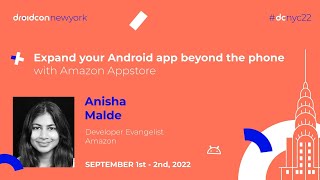 21mExpand your Android app beyond the phone with Amazon Appstore
 37mCreating Engaging Android TV and Fire TV Apps with Native and Cross-Platform Tools
 20mTaking your Android Apps to Desktop with Amazon Appstore
 12mSubsystem for Android: Opportunities for mobile developers
 34mTalk: Developing Media Streaming Android Apps..
 41mBest practices for developing on Android TV
 32mExpanding to new form factors: Tablet, Wear & TV