Continuous Delivery of Microservices using Jenkins and Gradle

summary
Shows how to code a CI/CD pipeline with Jenkins and Gradle that builds a Java WAR, runs unit/integration/functional tests in parallel, creates an aggregated JaCoCo coverage report, versions artifacts by versioning by Jenkins build number, and publishes WAR/sources/javadoc to Nexus or Artifactory. Uses Serenity BDD for acceptance reports, Gatling for load tests, Pact for contract tests, and Docker for containerized test runs; demonstrates code Pipelines in Jenkinsfile and parallel commit-stage tests so each commit yields a production-ready artifact in about 10–15 minutes.
AI-written summary · about
chapters (29)
- 0:00Start
- 4:08using continuous delivery approach
- 7:49assemble your application
- 8:18put custom groovy code inside your build job
- 9:26put all the dependencies
- 10:51need to use the dependency management plug-in
- 12:00define test dependencies
- 13:42run riddle test
- 16:15executing the test phase
- 17:26creating several integration tests projects
- 18:59run all the integration tests
- 19:41running your integration test
- 20:31apply plug-in jaco
- 24:25using the build number of your continuous integration system
- 24:54creating a file called burning the griddle
- 26:51package this into a jar file or war file
- 28:10create an artifact war file or a jar file
- 30:13publish publications
- 33:58use a scholar for writing your stress test
- 38:29create a new freestyle job
- 40:03put your groovy code inside your jenkins file for deploying
- 40:45covers from simple to complex scenarios
- 42:20set the stage
- 44:06run integration with a new node
- 44:28execute the interaction test
- 44:51create a grid of the ruby file
- 48:46run functional tests against this container
- 49:09execute griddle
- 49:58branch pipeline plug-in
related talks
 01h 29mBuilding a Continuous Delivery Pipeline with Gradle and Jenkins
 04mContinuous Delivery with Jenkins' New Declarative Pipeline & Artifactory
 34mContinuous Delivery with Jenkins Workflow
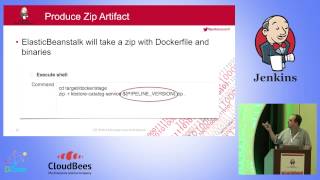 38mContinuous Delivery with a Microservices Architecture
 34mTDD for jenkins pipelines
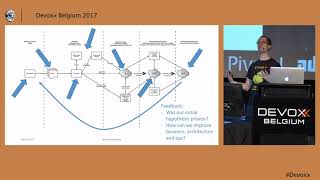 52mContinuous Delivery with Containers: The Good, the Bad, and the Ugly
 40mIntegrated Pipeline for Private & Public Clouds w/Jenkins, &
 32mFiring up a holistic Continuous Delivery Pipeline