Automating UX Compliance Testing

summary
A Jenkins plugin is built to archive Selenium screenshots, compare them against a master image repo and report a pixel‑by‑pixel percent difference per endpoint; it runs on release candidates (not every commit), uses artifacts from CI, and applies thresholds so small diffs don’t fail the build. Comparison requires consistent resolution/OS, has caught actual UI regressions, and is slower than unit tests. Plans include tying comparisons into Selenium Grid Extras to compare image regions only and support video capture for debugging.
AI-written summary · about
chapters (14)
- 0:00Intro
- 1:20Selenium timeline
- 3:22Stack trace
- 4:18Putting it together
- 4:46How it works
- 6:19Screenshot comparison plugin
- 9:11Drawbacks
- 11:27Image Archive
- 12:29Jenkins Job
- 13:33Screenshot Comparison
- 14:35Live Demo
- 18:40What doesnt compare
- 19:22CI Independent
- 20:12Selenium Extra Grid
related talks
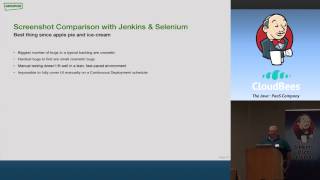 25mUsing Jenkins to Display Selenium Failures & UX Compliance
 39mSpot the difference: automating visual regression testing
 37mSpot the Difference; Automating Visual Regression Testing
 12mIntegrating visual testing into the build pipeline
 37mThe Colorful World of Visual Test Automation
 27mVisual UI Testing – Testing the Last Mile
 34mENABLING CONTINUOUS DEPLOYMENT OF PIXEL-PERFECT USER INTERFACES
 18mImplementing a Visual CSS Testing Framework