Using Jenkins to Display Selenium Failures & UX Compliance
summary
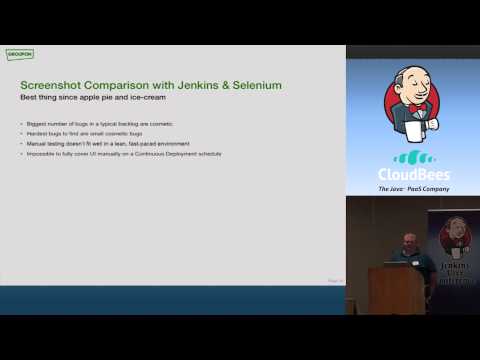
Jenkins hosts two concrete plugins: one that matches failed Selenium screenshots with the JUnit error pages and embeds the screenshot on the failure detail so stack trace and image appear together, and another that runs a pixel‑per‑pixel comparison between current screenshots and an archived “known quality” image repo, reporting number and percent of differing pixels. The comparator runs ~5,000 images in ~15 minutes, can fail or mark builds unstable, needs archived artifacts and consistent environments, and suits release/regression pipelines rather than feature branches.
AI-written summary · about
chapters (9)
- 0:00Introduction to Groupon
- 1:11Jenkins failure analysis
- 3:42Visualizing test failures
- 5:56Plugin technical details
- 8:23Image comparison plugin
- 12:45Implementing UI testing
- 16:01Handling comparison challenges
- 20:41Future plugin development
- 22:21Advanced Jenkins views
related talks
 31mAutomating UX Compliance Testing
 36mFast Feedback: Jenkins+Functional & Non-Functional Mobile App Testing...
 18mImplementing a Visual CSS Testing Framework
 32mHolistic cross browser testing with Selenium
 34mENABLING CONTINUOUS DEPLOYMENT OF PIXEL-PERFECT USER INTERFACES
 21mAutomating Test Runs with Jenkins
 41mIntegrating Mobile Automation with Jenkins: A Case Study Using
 58mUnit Testing with Screenshots: Breaking the Sound Barrier