The Hitchhiker's Guide to Faster Builds

summary
Explains why C++ compilation and linking are slow and lists concrete ways to speed them up, covering hardware choices, build systems, caching, distributed builds, and diagnostics; techniques like unity builds, precompiled headers, and static vs shared linking; source-level changes such as the PIMPL idiom, template usage and annotations; and the role of upcoming C++ modules and which current approaches they will replace.
AI-written summary · about
chapters (38)
- 0:00Intro
- 2:29The steps in building C++ code
- 6:58Boost includes - after the preprocessor
- 7:59Unreachable (dead) code
- 8:12Low hanging fruit
- 9:45PIMPL - pointer to implementation
- 10:41PIMPL - pros & cons
- 12:27Abstract interfaces & factories
- 15:38Precompiled headers - usage • supported by mainstream compilers
- 19:03Unity builds - cons
- 23:33Unity builds - how to maintain
- 24:50Inlining annotations
- 27:20Templates - argument-independent code
- 28:38Templates - C++11 extern template
- 30:03Templates - move functions out of headers
- 30:47Templates - cost of operations
- 31:36Templates - other notes
- 32:03Templates - tools
- 34:30Diagnostics - compilation
- 36:13Diagnostics - binary bloat
- 36:52Build systems
- 37:50Parallel builds
- 39:05Diagnosing/monitoring parallelism
- 40:58Sort-of winners (in terms of speed)
- 41:54Static vs dynamic linking
- 42:17Dynamic linking - symbol visibility
- 43:20Multiplatform symbol export annotations
- 46:10Linkers - LTO and other flags
- 47:05Compiler caches
- 49:50Distributed builds
- 50:37Hardware
- 52:22Physical design
- 53:04Dependency analysis
- 54:01Modules - history
- 54:32Modules - motivation
- 55:17Modules - VS 2017 example
- 56:01Modules - how they work
- 57:45Modules - a parallelization case study
related talks
 53mWhy Is My C++ Build So Slow? Compilation Profiling and Visualization
 10mFastbuild
 46mBuilding and Packaging Modern C++
 01h 04mBetter CMake: A World Tour of Build Systems - Better C++ Builds
 57mKeynote: How To Address 7 Major C++ Pain Points with Tools
 54mCMake for the Impatient
 01h 01m10 Problems Large Companies Have Managing C++ Dependencies and How to Solve Them
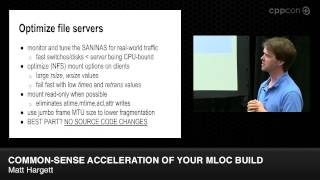 01h 04mCommon-sense acceleration of your MLOC build