Scaling ML pipelines with KALE — the Kubeflow Automated Pipeline Engine

summary
KALE converts JupyterLab notebooks into Kubeflow Pipelines by having users annotate notebook cells with tags (imports, functions, pipeline steps, params, skip) and then snapshots and uploads a compiled pipeline directly to Kubeflow (demo on MiniKF). The demo shows pipelines running with dependent steps, logs and outputs visible, and crucially no manual Docker image builds or separate kfp compile/upload — compile-and-run from notebook without building images. Tools: Kubeflow, KFP SDK, JupyterLab, Kale.
AI-written summary · about
chapters (18)
- 0:00Start
- 4:01add external dependencies
- 5:59deploy and manage an ml stack on kubernetes
- 6:41installs a number of components on your cluster
- 7:19write an end-to-end ml pipeline
- 8:05use catheter for automated tuning of your machine
- 8:44provide a kubernetes custom resource definition for serving machine learning models
- 9:37building and deploying portable machine learning workflows
- 10:30using the qfloor pipeline sdk
- 11:11run the pipeline with a single click
- 13:17setting up a notebook
- 13:42provide a custom image
- 14:44create a pipeline using normal cube flow
- 15:40define the execution order of the pipeline
- 16:38upload a pipeline
- 18:28write the pipeline in the notebook
- 20:01pass pipeline parameters for every time
- 22:45taking snapshots of the pipeline
related talks
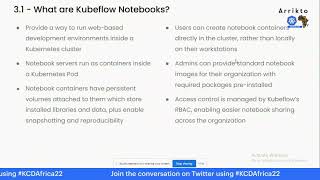 53mTransforming your Jupyter Notebook to a Reproducible Machine Learning Pipeline using Kale
 01h 27mTutorial: From Notebook to Kubeflow Pipel...
 29mML Engineering Kubeflow
 35mOrganizing data engineering around Kubeflow
 54mScaling Machine Learning Pipelines in Cloud
 49mTutorial: From Notebook to Kubeflow Pipelines to KFServing: the Data Science Odyssey
 36mMachine learning pipeline Kubeflow, let's start
 05mLightning Talk: Build a Reproducible ML Workflow with Kubeflow Pipelines