3DGraphics with Threejs by Ruben Meschian (Eng) | JSConfAM19

summary
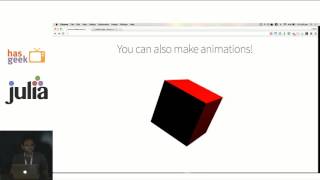
Shows concrete Three.js mechanics: scene graph composition, meshes as geometry+material, lights, cameras, and the WebGL renderer with animation and anti‑aliasing. Demonstrates loading a high‑poly model from Sketchfab via the gltf loader, cites a helmet with 15,000 triangles and 8,000 vertices, and builds working demos (rotating cube, mouseover turns object red). Covers raycasting math (mouse→normalized coords), camera placement for FPS views, performance tradeoffs, and where loaders live under examples.
AI-written summary · about
chapters (26)
- 0:00Start
- 0:19What Is 3j S
- 4:25Scale
- 6:09What Is a Mesh
- 8:59Modules
- 9:16Geometry Function Constructor
- 10:12Geometries
- 11:46Materials
- 13:03Create the Scene
- 13:26Create aa Box
- 15:153d Software
- 15:39File Formats
- 18:08Add Meshes
- 18:29Ambient Light
- 19:04Directional Light
- 19:53Fragment
- 20:47Camera
- 21:19Perspective Camera
- 21:56Aspect Ratio
- 25:06Rendering Size
- 26:05Anti-Aliasing
- 27:46Animation
- 28:16Performance
- 32:05Ray Casting
- 32:56Coordinate System
- 35:13Intersect Objects
related talks
 41mGetting started with three js and WebGL
 31mWebGL: Building Interactive 3D Worlds in the Browser
 41mWebGL Is Easier Than You Think (feat. three.js)
 13mWebGL Demo with THREE.js
 59mRendering 3D Like a Grown-Up
 37mBuild in-browser 3D experiences with WebGL and PyScript
 14mThreeJS.jl: Interactive 3D Graphics in the Browser using Julia
 20mEmbracing WebGPU and WebXR With Three.js