Learn Operating Systems Theory While Working with Zephyr

summary
Course uses Zephyr as a model OS with 14 hands‑on labs, each ~90 minutes, full instructions and sample solutions available on GitLab. Labs boot on QEMU and real boards (ARM M0 and x86) by toggling one config, exercise kernel APIs with timers, threads and priorities, cover mutexes, semaphores and a parking‑lot synchronization demo, explore memory management (heap/stack, no MMU), simple FAT/SD filesystem access, basic device trees and POSIX compatibility checks. Labs are bilingual and tested by student beta‑testers.
AI-written summary · about
chapters (14)
- 0:00Teaching OS theory with Zephyr
- 3:54Switching to Zephyr
- 5:39Open-source OS labs
- 7:46Course structure
- 9:14First lab: Zephyr basics
- 10:15Second lab: Config and portability
- 11:21Kernel API and hardware
- 12:26Threads and kernel vs user space
- 13:09Scheduling in Zephyr
- 14:13Mutexes and parking simulation
- 15:17Memory management
- 16:43File systems and SD card
- 17:47POSIX and drivers
- 19:11Educational goals
related talks
 27mZephyr RTOS as a role model in the operating systems theory education
 12mLightning Talk: Zephyr in Education
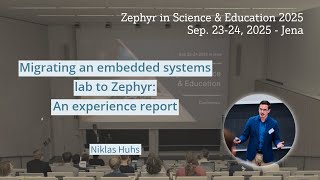 24mMigrating an embedded systems lab to Zephyr: an experience report
 38mJumpstarting Zephyr: Engaging Newcomers through Practical Workshops
 45mLeveraging Zephyr RTOS for modern embedded systems: a perspective from education and research
 47mSponsored Session: Does Zephyr Scare the Bare Metal Embedded Developer World?
 27mZephyr Porting Efforts in High Performance SoCs
 30mSoC Development: From ROM to Application