Improving Digital Accessibility and the Quality of Your Website

summary
Concrete techniques to improve web accessibility: make keyboard focus visible, provide meaningful alt text for images, ensure color contrast meets at least 4.5:1 (example improved from 2.80 to 4.68), and announce links that open in new tabs. Testing and standards covered include NVDA, JAWS, VoiceOver, WAVE, browser devtools and WCAG/RGAA; the talk also notes that about 10% of users read braille.
AI-written summary · about
chapters (7)
- 0:00Start
- 7:44Keyboard-mouse equivalence Can I access different elements or keyboard?
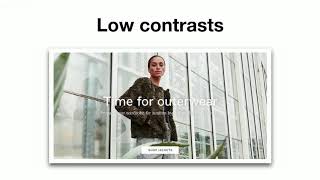
- 12:53Colors Are the color contrasts sufficient?
- 13:38Goal Calculate the ratio between a foreground color and the associated background color
- 13:55Tool used Color Contrast Checker
- 14:54Navigation elements Are the navigation elements explicit?
- 22:24International standards WCAG (Web Content Accessibility Guidelines)
related talks
 22mWeb Accessibility - a better user experience for everyone!
 38mGuidelines on Designing for Accessibility in UX Design
 01h 03mAccessibility: Making your websites more inclusive
 29mAccessibility Matters: Creating a Better Web
 25mPrevent, Catch and Fix Accessibility Issues
 43mWhat is accessibility, and why I should care?
 41mAccessibility is a Requirement
 37mAccessibility Matters: Creating a Better Web