What is accessibility, and why I should care?

summary
European law now requires public-sector sites to meet WCAG 2.0 (and the newer 2.1) so developers must fix concrete failures not debate principles. Examples given: unlabeled mobile menu buttons that read as “button expanded”; missing captions on videos; unreachable controls for keyboard users; low contrast text; and distracting background video. Tools and fixes: test with NVDA or keyboard only, validate HTML5, use aria-live and aria-expanded/aria-hidden, group radios with fieldset/legend and prefer native elements over ARIA. Numbers: about 50% of people have some disability.
AI-written summary · about
chapters (31)
- 0:00Welcome!
- 0:47Usability, accessibility - or both?
- 1:34People with disabilities - who are they?
- 3:46What is a screen reader?
- 6:12A screen reader in action!
- 7:24Buttons with no labels
- 8:26Live Areas
- 8:58Audio content with no subtitles
- 9:47Unreachable objects
- 10:24Distractive content
- 11:21Low contrasts
- 12:17Use of color
- 13:50WCAG
- 16:01Perceivable
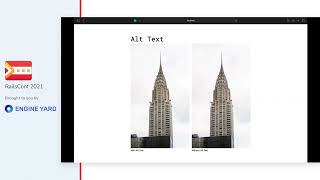
- 16:36Alt-text
- 18:05Operable
- 18:23Keyboard navigation
- 18:34Understandable
- 19:13Consistent Navigation
- 19:39Robust
- 20:24Status Messages
- 20:52Accessible CodingTM
- 24:06Testing Accessibility
- 28:16Hidden labels on buttons
- 31:00Dialog Boxes
- 32:55Visible Focus
- 33:59Skip to Content
- 35:25Standard Symfony DIV Theme
- 36:23Switch to Bootstrap
- 38:00No HTML5 Validation
- 39:06Summary
related talks
 29mAccessibility Matters: Creating a Better Web
 38mAccessibility 101-102: What every tester should know about digital accessibility
 22mWeb Accessibility?
 37mAccessibility Matters: Creating a Better Web
 44mDesigning with Accessibility in Mind
 54mAccessibility by everyone (and for everyone)
 01h 03mAccessibility: Making your websites more inclusive
 41mAccessibility is a Requirement