3D Touch: Bring Your Apps to a New Dimension

summary
Covers five concrete 3D Touch integrations: home screen quick actions (static via Info.plist, dynamic at runtime, up to four), widgets (compact/expanded today extensions), peek and pop (register previewing delegate, two callbacks), pressure-sensitive UIPreviewInteraction (0–1 scale used to vary audio playback speed), and UNNotificationContentExtension (separate extension fed by Foursquare-triggered notifications). Uses a Caribou phrasebook demo on iOS 9/10, shows code locations and app delegate deep links, and demonstrates working examples.
AI-written summary · about
chapters (14)
- 0:00Start
- 1:09A Little History
- 1:50Why Add 3D Touch Support?
- 2:523D Touch APIs are easy to use LET'S
- 3:40Let's build an app!
- 5:20Static Quick Actions
- 6:44Dynamic Quick Actions
- 7:36Acting on Quick Actions
- 10:54Listen for updates
- 12:19Peek & Pop
- 13:32Custom UI PreviewInteraction CUSTOMIZE
- 18:15Notification Content Extensions
- 19:36Summary
- 20:05Thank you! @meghaton
related talks
 23mEnhancing App Experiences with App Intents and Live Activities
 36mDesigning Your App to be Discoverable
 28mCustomizing Your Notifications for iOS 12
 01h 14mAccessibility — the Pinnacle of Technology
 33mSwiftUI for Flutter Developers
 36miOS to visionOS: How to prepare your app for the future
 24mDynamic Island & Live Activities with Flutter & Swift
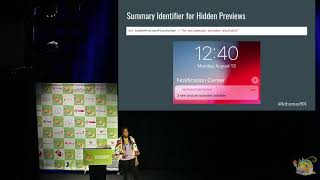 23mCustomizing Your Notifications for iOS 12