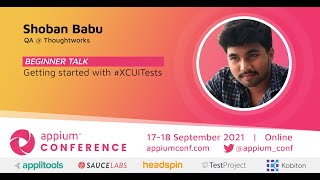
UI Automation with XCUITest

summary
Shows migrating from Appium to XCUITest for iOS UI automation using Swift, with a GitHub sample app that implements a Page Object Model (screen enums, element enums) and BDD-style tests. Framework uses a Base class for setup/teardown, step files with XCTContext strings, test plans/test schemes, snapshots on failures and an execute in parallel option to clone simulators. Demonstrates mocking network responses, an expected-failure annotated case (expecting 13 properties but asserting 10), and practical debug tips that make the suite runnable on CI.
AI-written summary · about
chapters (14)
- 0:00Introduction to UI testing
- 1:46Demonstration app overview
- 2:50Setting up test cases
- 3:45Configuring test schemes
- 5:03Structuring the framework
- 6:37Defining steps and logic
- 7:33Managing screen elements
- 11:06Base class and mock data
- 12:39Test plans and execution
- 14:07Analyzing test results
- 16:20Debugging in Xcode
- 17:46Execution and reporting
- 25:17Conclusion and summary
- 26:30Q&A session