The importance of privacy

summary
Covers concrete iOS privacy actions: how permissions actually behave (location when in use vs always, Siri defaults to opt‑in and may send contacts to Apple), use of Info.plist usage strings, Photos framework quirks (read/write vs write‑only limitation, metadata/coordinates present), Contacts and Contacts UI pickers, Calendar event predicates limited to four years, HealthKit fine‑grained types, and a demo app myprivacy.app on GitLab that shows patterns and recommends use out-of-process pickers and checking authorization states rather than caching them.
AI-written summary · about
chapters (17)
- 0:00Start
- 0:43Manuel stuffmc Carrasco Molina
- 8:31What we'll cover
- 8:56Why is Privacy Important?
- 20:57Reset Alerts
- 21:28A picture worth a 1000 Metadata
- 24:35Out of Process Alert
- 25:15Always check authorisation status
- 29:35Multiple
- 30:25Contact with Location?
- 31:52Location And Map Kit, of course.
- 32:45Coloured Bar
- 33:56The App hasn't crashed
- 36:33Explanation in the settings
- 37:59To the next crash
- 38:15What have you done?
- 39:18Structured Location
related talks
 53mDesigning for Privacy in Mobile and Web Apps
 38mDeveloping Mobile Apps with Privacy as a Baseline Need
 28mEmbracing innovation by building privacy friendly apps
 21mDeveloping privacy user-centric apps
 17mPrivacy Design Flaws
 21mHelping Mobile App Developers Create Accurate Privacy Labels
 16mApples Privacy initiative for Apps
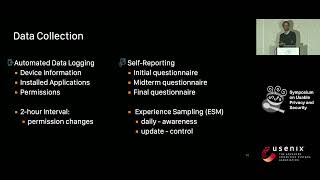 14m“I do (not) need that Feature!” – Understanding Users’ Awareness and Control of Privacy