How to Start Testing Your Product With Visually Impaired People

summary
Accessibility testing pairs automated audits with real users because audits miss interaction and content problems (example: screen-reader order issues in Grammarly). Recruit 3–5 testers who use screen readers or high-contrast modes, run remote sessions with familiar video tools (Zoom/Meet), capture screen share and notes, and compensate participants fairly. Expect surprising yield: involving screen-reader users finds about 80% of issues. Use common screen readers (JAWS, NVDA, VoiceOver), Miro for synthesis, and prioritize by impact.
AI-written summary · about
chapters (10)
- 0:00Introduction to accessibility
- 3:40Why testing matters
- 7:00Audit vs real testing
- 12:02Recruiting users for testing
- 17:46Preparing testing sessions
- 21:53Writing testing scripts
- 25:21Screen reader navigation
- 28:55Summarizing results
- 33:16Convincing teams to care
- 40:10Q&A on accessibility
related talks
 30mHow to Run an Accessibility Test with Users and Survive
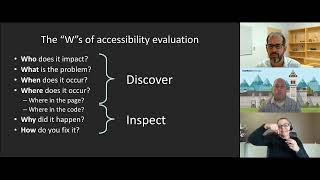 56mQuick Start for Evaluating and Testing Web Accessibility
 56mAccessibility Testing 101
 35mBuilding an accessibility testing habit
 26mThe Ultimate Practical Guide to Accessibility Testing
 37mAccessibility Testing Techniques, Issues and Tricks
 46mGuerilla Accessibility Testing Techniques
 21mGetting started with accessibility and product inclusion