Sktime—Python Toolbox for Time Series: How to Implement Your Own Estimator
summary
sktime claims scikit‑learn compatibility and shows how to implement estimators via extension templates, using the provided notebooks and GitHub repo to build a MinMaxScaler transformer and a simple moving average forecaster (windowed mean), implement _update_ for streaming, and add probabilistic predict_quantiles that must return a pandas MultiIndex DataFrame. the developer utilities include tags/m‑types for automatic conversions, rules for cloning components in composites, and a check_estimator testing utility that catches common errors and enforces API contracts.
AI-written summary · about
chapters (33)
- 0:00Start
- 2:17Introduction
- 3:17Developer Sprint
- 3:41Scikit-Learn
- 4:11Extensibility
- 5:12Scikit-Learn Pipeline Interface
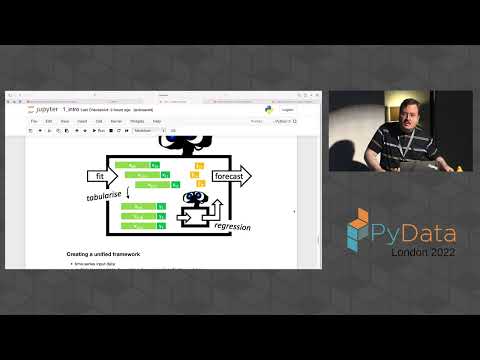
- 7:53Reductive Reduction Approach to Forecasting
- 11:42Basic Way To Implement Your Own Sktime Estimator Using the Extension Templates
- 12:13Sktime Interfaces
- 12:44Developer Setup
- 13:45Installation
- 17:24Public User Interface
- 17:56Forecasting Horizon
- 18:51Base Forecaster
- 19:41To Implement Your Own Forecasting Algorithm
- 20:00Extension Templates for Forecasting
- 22:34Make Mock Estimator
- 25:51Extension Templates
- 26:20Min Max Scalar Transformer
- 27:01The Transformer Extension Template
- 31:45Implement the Transform
- 37:11Simple Moving Average
- 48:52Predict Quantiles
- 50:08Get Fitted Params
- 1:00:32Caveat
- 1:02:06Capability Tags
- 1:03:11Tags Tags and Data Types
- 1:06:36Examples
- 1:09:05In-Memory Specifications
- 1:13:52Automated Vectorization
- 1:17:15A Composite Estimator
- 1:19:34Composite Moving Average
- 1:23:30Summary
related talks
 01h 30msktime - python toolbox for time series
 30msktime: python toolbox for time series- next-generation AI
 01h 27mIntroduction to Machine Learning with Time Series
 26mTime Series Analysis in Python: Easy Tools for Scientific Insight
 32mAdopting Open-Source Tools for Time Series Forecasting
 42mWriting a scikit-learn compatible estimator in the modern age
 34mTime series for scikit-learn people
 01h 29msktime: time series anomaly detection, changepoint detection, segmentation