The internet is for everyone - how to build for accessibility and inclusion
summary
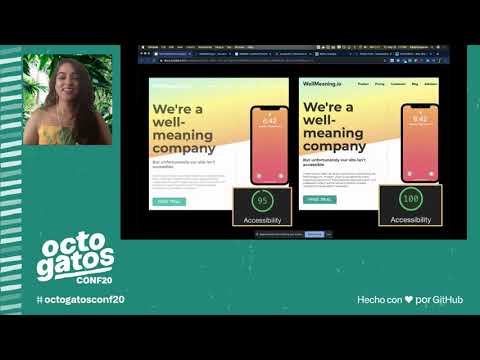
Demos a live site audit that uses Chrome Lighthouse, WebAIM color contrast checker and an accessible color generator to raise a page from a 95 to 100 accessibility score, fixes a button with a failing contrast ratio 2.08 vs 4.5:1 requirement, and shows how semantic HTML (a real button over div) preserves keyboard activation, native validation, and screen reader behavior. Covers VoiceOver/JAWS, WCAG perceivable/operable/understandable/robust rules, ESLint/Pa11y/Cypress linting, form inputs with min/max/step, tabindex and keycode 13, and cites ~30% of sites accessible and 177 lawsuits spike.
AI-written summary · about
chapters (21)
- 0:00Introduction and speaker
- 0:27What is accessibility
- 1:09Who benefits from accessibility
- 2:11Accessibility benefits everyone
- 2:31Accessibility issues example
- 3:15WCAG guidelines overview
- 4:16Using automated tools
- 5:17Fixing contrast issues
- 6:20Accessible design is good design
- 6:42Assistive technology basics
- 7:45Alt text for images
- 8:25WCAG four principles
- 9:06Operable content with HTML
- 11:30Semantic HTML benefits
- 12:53Form inputs and validation
- 13:15Testing vision deficiencies
- 13:58Web is accessible by default
- 14:21Preventing accessibility bugs
- 15:24Making the case for accessibility
- 16:49Social responsibility of accessibility
- 17:11Q&A and resources