High Performance in the Critical Rendering Path

summary
Claims specific fixes and tools: measure with WebPageTest and PageSpeed Insights, expect to find blocking CSS/JS and a six‑second spinner on bad pages; reduce requests and latency by enabling keep‑alive, gzip, and HTTP/2 with server push; inline critical CSS (use penthouse), defer fonts and JS, aggressively cache and hash assets, and lazy‑load images. Examples include nginx + CloudFlare configs, a client rendering engine that initially failed, and a small CLI/automation workflow that proves the changes cut visual load time.
AI-written summary · about
chapters (14)
- 0:00Intro
- 0:21in the Critical Path
- 1:19What is going on?
- 7:55WebPage Test Inspect every request Analyze TCP traffic Identify bottlenecks Visualize progress
- 8:25Measure early Measure often
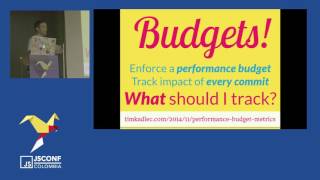
- 10:34Budgets! Enforce a performance budget Track impact of every commit What should I track?
- 12:24minification Or, what can be done to improve performance?
- 14:40Make less requests! Turn on keep-alive GZip all the text Add Expires and ETag headers Use a CDN
- 16:14Why? Non-blocking Multiplexing One Connection per Origin Header Compression Proactive Server Push
- 18:01Optimizing CSS Inline critical CSS Remove unused styles Avoid m. Be responsive Concatenate and minify Follow a style guide. Seriously.
- 18:55Optimizing Fonts Load asynchronously Use a fallback while fonts load Prevent FOIT using JavaScript Use fewer fonts, avoid repaints Cache them aggressively
- 20:15Optimizing Images Minify and shrink Defer images below the fold Create spritesheets with tools Try inlining tiny dynamic images Use CSS for simple icons
- 22:16Optimizing JavaScript You can live without it Defer all of it Use small modules Use asset hashing Cache vendor scripts separately
- 23:24Reverse proxy Static asset caching Supports SPDY GZip compression
related talks
 30mHigh Performance in the Critical Rendering Path
 27mHigh Performance in the Critical Rendering Path
 28mCSS and the Critical Path
 42mDelivering Responsibly
 01h 04mFrom Zero to Hero - Web Performance
 38mCSS and the first meaningful paint
 58mNeed for speed 8, performance tuning of your web application
 01h 04mNeed for speed 8, performance tuning of your web application