Build your first mobile & desktop app as a Progressive Web Application

summary
Shows a runnable booking app converted into a PWA with a manifest, service worker lifecycle and caching so it runs offline, uses Workbox for workbox precaching and runtime strategies, demonstrates background sync queuing of failed POSTs and replay when online, and implements push notifications via the web-push library with VAPID keys. Builds and deploys on Heroku (Node + Chrome required); offline caching, sync queue and most features work in the demos, push needs HTTPS/Heroku to test.
AI-written summary · about
chapters (19)
- 0:00Start
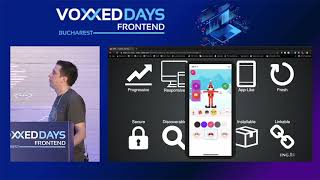
- 3:02Combining Best of Web and Best of Native Apps
- 5:27Native Apps
- 6:54Building Blocks
- 16:05Adding the Web App Manifest
- 16:50Prerequisite
- 28:38Heroku Login
- 40:53Adding an App Manifest
- 41:45Manifest Dot Json File
- 1:16:48Start Url
- 1:17:16Making the App Offline
- 1:19:56Serviceworker
- 1:20:24Add a Small Serviceworker
- 1:43:40Register a Service Worker
- 2:27:08Cashflow Strategy
- 2:27:58Background Synchronization
- 2:52:49Web Push
- 3:04:41Deploy to Heroku
- 3:10:01Demo
related talks
 44mPWA - Welcome to the Future
 33mCreate app like experiences with Progressive Web Apps
 49mIntro To Progressive Web Apps
 59mProgressive React Apps
 23mBuilding a Progressive Web App
 53mProgressive Web Applications - The best of both worlds (App & Web)
 38mProgressive Web Applications: The What, the Why and the How
 17mLet's Build a Progressive Web App