Building Your Own Mechanical Keyboard, Crazy Idea or Stroke of Genius?

summary
A DIY guide to building a split mechanical keyboard from a kit, costing about €210–250 plus keycaps and requiring roughly 4–5 hours of soldering. It explains using a PCB matrix with diodes and a microcontroller, flashing QMK firmware to create programmable layers and mod‑tap behavior, choosing switch types and keycap profiles, and handling AZERTY vs QWERTY and dead‑key accents to reach a working ergonomic split ortholinear layout.
AI-written summary · about
chapters (17)
- 0:00Introduction
- 2:10Keyboard history
- 5:59Mechanical vs membrane
- 7:47Keyboard sizes and layouts
- 9:13Ergonomics and health
- 11:01Split and ortholinear
- 13:06HRO and key layouts
- 15:35Layers and programming
- 18:47Mechanical keyboard parts
- 23:46Switch types
- 27:19Keycaps and profiles
- 28:23First build and budget
- 29:49Soldering and assembly
- 31:15QMK programming
- 37:00Experience and models
- 39:47Typing and learning
- 41:09Resources and final tips
related talks
 50mBuilding Your Own Mechanical Keyboard, Crazy Idea or Stroke of Genius?
 50mBuilding your own mechanical keyboard, bad idea or brilliant idea?
 29mDesigning and Building Custom Keyboards ⌨️ with Python
 33mFlexboard: Developing Zephyr on a Keyboard That Runs It
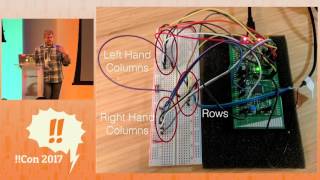 11mHow do Keyboards Work? HIDing, in Plain Sight!!
 34m34 keys is all you need: an ergonomic keyboard journey
 13mThe Clicks And Clacks Of Mechanical Keyboards
 33mBuilding Open Hardware with FOSS