Managing Vendor Incidents

summary
A practical checklist: classify vendors into tier one, tier two, tier three by customer impact; keep a vendor runbook with account IDs, API keys, support contacts, contract and renewal dates; assign on‑call ownership for each vendor so someone can call the vendor and update status; plan failovers (Zoom → Google Meet, Slack → Meet), use SLOs to catch impending doom, and run post-incident reviews with timelines and counts (e.g., OVH 2021 total loss) to decide whether to replace a provider.
AI-written summary · about
chapters (24)
- 0:00Managing vendor incidents
- 0:48Why vendor incidents matter
- 3:14Real risks of cloud providers
- 5:45Categorizing vendors by importance
- 8:53Tier two vendors impact
- 10:37Tier three vendors and tools
- 11:42Backup plans for incidents
- 13:04Customer dependencies on vendors
- 14:27Relationships with tier one vendors
- 16:55Vendor incident response
- 19:01Vendor relationship ownership
- 21:50Maintaining vendor runbooks
- 23:15Vendor runbook documentation
- 26:46Contacting vendors during incidents
- 28:11Monitoring vendor status updates
- 29:56Post-incident reviews with vendors
- 33:06When to switch vendors
- 33:46Key vendor management strategies
- 35:11Incident response resources
- 36:53Threshold alerts and SLOs
- 39:21Managing problematic customers
- 41:29Working with startup vendors
- 43:26Ending vendor relationships
- 46:16Closing remarks and Q&A
related talks
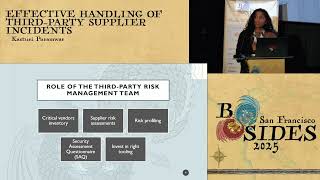 35mEffective Handling of Third-Party Supplier Incidents
 48mRemaining Resilient in the Supply Chainpocalypse
 29mVendor Security: Where Our Data Goes We Follow
 45mEngineering resiliency - how I learned to love an outage
 25mPlays Incident Response
 45mIncident Management - Talk the Talk, Walk the Walk
 37mEmbracing the Multi-Party Dilemma: Incident Response Across...
 28mHow to Have an Operational Incident (A Crash Course)