Dialog dilemmas and modal mischief: a deep dive into popovers

summary
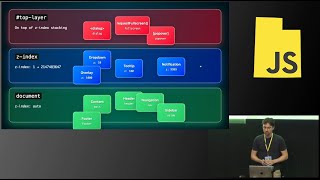
Browser support timeline: popover lands in Chrome stable and Edge now, Safari 17 in the fall, Firefox actively developing. popover attribute gives built-in toggling so popover attribute requires no JavaScript but it adds behavior not semantics so authors must pick a role (dialog, listbox, menu, tooltip). positioning currently uses libraries (example: Floating UI) or calculated styles; anchor positioning is coming. dialog element exposes show and showModal so showModal creates a real modal in the top layer and only modal dialogs get automatic backdrops and keyboard focus trap. A demo site shows a lightbox and filters menu where popovers default-center and needed absolute positioning to work.
AI-written summary · about
chapters (20)
- 0:00Introduction
- 0:37The evolving web UI
- 1:42Dialogue and popover specs
- 2:35Personal website projects
- 4:07User experience pitfalls
- 5:33Defining the dialog
- 7:13Dialog vs div role
- 8:56Understanding popovers
- 10:32JavaScript-free toggling
- 12:11Popover modes and support
- 13:46Modal vs non-modal
- 16:41Dismissal and layering
- 18:24Focus traps and backdrops
- 20:50Accessibility semantics
- 22:33Choosing the right role
- 26:59Lightbox implementation
- 29:19Positioning techniques
- 32:17Managing overlapping UI
- 35:26Conclusion and summary
- 36:41Q&A session
related talks
 32mHow popovers are about to become a whole lot easier to build
 48mThe New Frontend Toolkit: Popover API, Dialog, and Next-Gen CSS
 31mDiving into the Toplayer: Where Dialogs, Popovers, and Modals Live
 32mNative Popovers with the Popover API
 47mThe future of UI is "open"
 21mInstall Nothing: App UIs With Native Browser APIs
 24mIndependent Popups with Element Reparenting & The HTML Popover API
 44mThe Revival of Native Popups with the Popover API