Profile & Monitor Web Apps with Azure Application Insights

summary
Shows how to add Azure Application Insights to web apps (install the .NET Core SDK package plus the separate profiler package and set the instrumentation key), where it sits in front of DB/storage/APIs, and how to use Application Map and Distributed Tracing to find slow components. Demonstrates profiler captures (sampling) that reveal a 10.2s request where component calls total ~1s and profiler sampling exposes ~9s of intentional wait, examples like a 14s external API call with 10s sleep, and notes profiling needs App Service plan Basic+ and can auto-trigger (CPU threshold ~80%, 120s default).
AI-written summary · about
chapters (16)
- 0:00Introduction
- 1:38Overview
- 2:40Azure Application Insights
- 8:04Code Overview
- 11:23Application Map
- 13:56Distributed Trace
- 19:23Profile Traces
- 23:17Application Insights
- 23:51App Service Plan
- 24:47Application Insights View
- 26:08Individual Transaction View
- 26:51Profile Tracing
- 27:40Profile Viewing
- 29:58Profile Automatically
- 31:20Profile Sessions
- 31:42Event Trace
related talks
 52mMonitoring and alerting like a pro with Azure Monitor/Application Insights
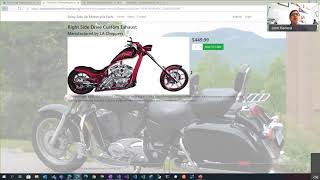 01h 00mDon't Fly Blind - Implementing Effective Application Instrumentation
 52mApplication Insights: The Tool You Never Knew You Needed
 01h 01mLogging, tracing and metrics: instrumentation in .NET and Azure
 52mWhen to use what monitoring service
 06mon their Application Insights tools
 01h 03mMeasure All The Things with App Metrics
 38mLogging, Instrumentation, Dashboards, Alerts